A slow or unreliable WordPress website needs a diagnosis before it needs a rebuild. The cause may be a plugin conflict, a hosting constraint, a theme issue, or a content workflow that no longer fits the business. Similar symptoms can have different causes, so a useful rescue proposal starts with evidence.
This guide explains how to scope that work and assess its results. It is not a verified client case study: no measured performance or conversion result is claimed here.
Record the problem before changing the site
Give the engineer the affected URLs, the action that fails, when the issue started, and recent changes. Distinguish an unavailable site from a slow page, a broken form, or an editing problem. Each needs different investigation.
Prepare an inventory of hosting, domain, WordPress administration, theme and plugin licences, integrations, and backups. Confirm which accounts your business controls. Use an agreed secure method to grant access.
If the site may be compromised, make that explicit in the scope. Recovery needs to address the suspected cause and affected accounts, not just remove a visible error message.
Ask for a diagnosis with supporting evidence
Use this intake card with the affected URL, last known working time, recent change, business impact and redacted evidence:
| Symptom | Useful safe evidence | Business impact to record |
|---|---|---|
| Site unavailable | Time, URL and visible error/status | All visitors or one route affected |
| Slow page | Device, network, page and repeatable action | Browsing or purchase delayed |
| Failed enquiry | Synthetic submission reference and delivery result | Staff may miss requests |
| Broken checkout | Synthetic order/payment state and failed step | Collection or fulfilment blocked |
| Editor cannot update | Role, page and exact denied action | Approved content cannot be published |
Do not include production passwords, payment details or unnecessary customer data. These fields help select the investigation; they do not establish the cause by themselves.
A useful report connects each recommendation to an observed problem:
| Finding | Evidence to request | Scope question |
|---|---|---|
| Update or compatibility issue | Versions, error details, and the affected workflow | Which core, theme, plugin, and hosting changes are needed? |
| Slow pages | URLs, measurement method, conditions, and repeated observations | Is the delay caused by delivery, scripts, media, or an integration? |
| Plugin overlap | What each plugin does and the dependency it supports | What functionality must survive removal or replacement? |
| Content structure problems | Examples of confusing navigation or editing tasks | Can the structure change without losing content or important URLs? |
| Unreliable enquiry flow | A reproducible failure and delivery evidence | Does the issue involve the form, email, spam controls, or CRM? |
A plugin count alone does not prove why a site is slow. Likewise, using posts or categories is not inherently wrong; the question is whether the content model serves the required publishing and navigation workflow.
Define a controlled repair plan
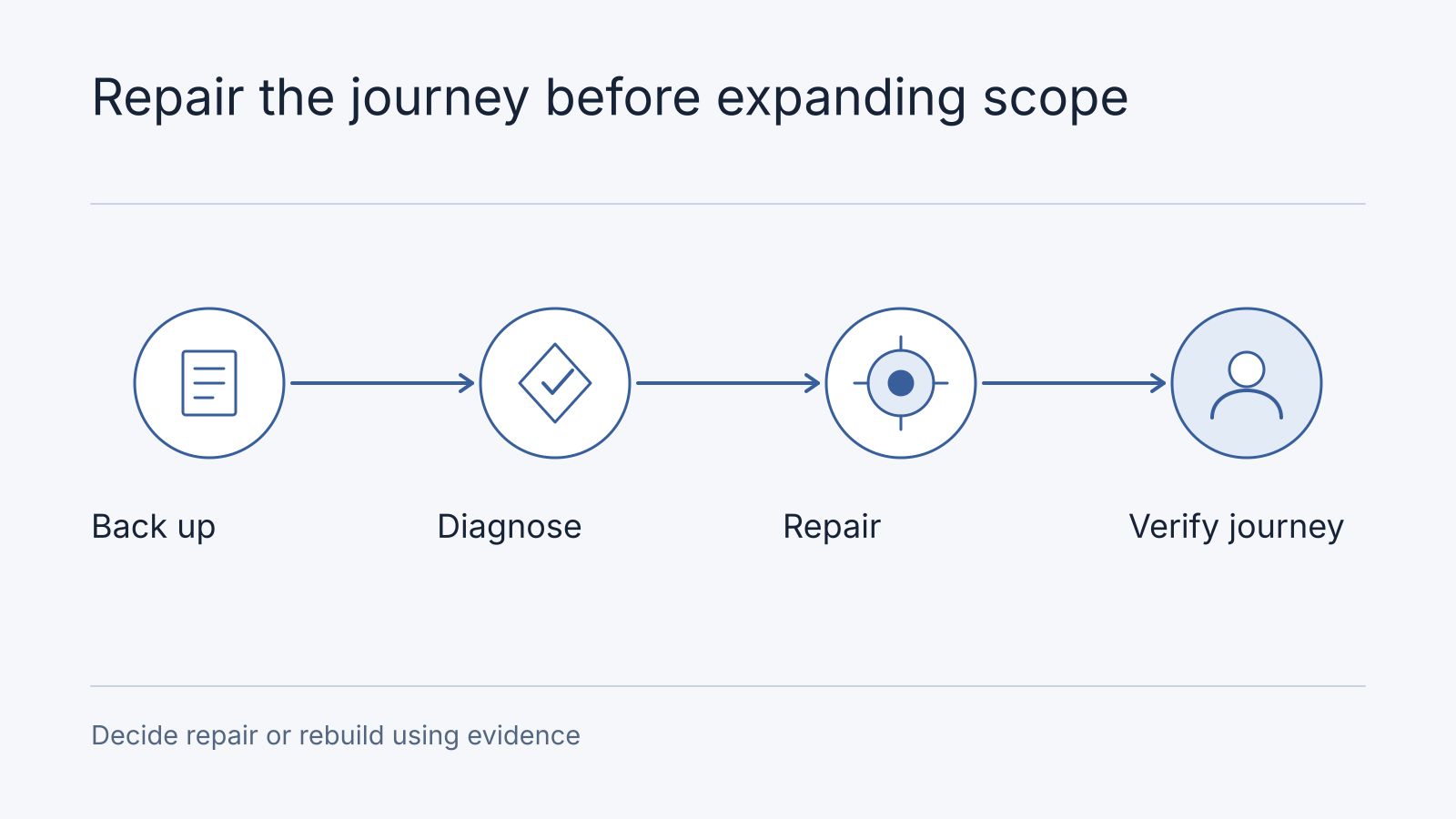
Agree on a recoverable backup, a suitable staging environment, and a release process before making substantial changes. Confirm what the backup contains and how restoration will work. Keep a record of changes so that a failed release has a clear recovery path.
List the workflows that must continue to function: enquiries, checkout where applicable, login, search, publishing, and integrations. Account for content or orders created on the live site while repairs happen elsewhere.
If URLs change, include an explicit mapping and redirect plan. Preserve useful content and document ownership of review and approval. Do not remove a plugin until its purpose and dependencies are understood.
Decide whether to repair or rebuild
Repair is worth considering when the existing platform supports the required features and the faults have a manageable scope. A rebuild may be justified when the content model, unsupported dependencies, or business requirements make repair impractical.
Compare the full work involved, including content migration, integrations, redirects, editorial training, and ongoing maintenance. A new platform still needs ownership and a support plan. Our website platform comparison can help structure that discussion.
Agree on what counts as a successful rescue
Set acceptance criteria around the original faults and essential workflows. For performance, record the same pages, devices, network conditions, tool, and measurement method before and after. Separate controlled measurements from field data collected from real visitors.
For enquiries or conversions, define the event, time period, traffic source, and sample size. Record other changes such as advertising or new offers. A faster page does not by itself establish that the repair caused more sales.
Ask for a handover with the final component inventory, account ownership, known limitations, backup and recovery instructions, and maintenance responsibilities. Clarify how urgent incidents differ from routine updates or future feature requests.
Scope maintenance after the repair
In a hypothetical incident record, form F-01 shows success but no enquiry arrives. Evidence E-01 records a synthetic submission and E-02 records a delivery-service rejection of the configured sender. The owner approves correcting that configuration in staging; a fresh synthetic request reaches the assigned inbox and its confirmation is reviewed. The release record names the configuration revision, recovery point and rollback owner. Follow-up adds sender-account ownership and a periodic delivery check. These are invented observations illustrating a completed record, not a customer repair or measured conversion improvement.
The maintenance agreement should specify update responsibility, monitoring, backup arrangements, incident reporting, and exclusions. Clarify response expectations and who approves changes that affect business workflows. Avoid treating an undefined promise of ongoing support as a complete maintenance plan.
Nodesify separates initial assessment and stabilization from ongoing hosting, basic maintenance and technical support. Annual hosting/basic maintenance is independently quoted for the agreed server, backups, monitoring and security responsibilities. Optional monthly technical support has a bounded allowance and excludes server fees; extra work requires an estimate and written approval. Plugin repairs, new features and recovery responsibilities must be explicitly scoped. Recovery is not automatically new-feature development, and Nodesify-responsible defects covered by the warranty do not consume paid support hours.
The support page holds the current technical-support allowance and approved additional-work rate. Annual hosting/basic maintenance is independently quoted; hosting and vendor bills are separate unless your package expressly includes them. Automated monitoring does not mean staffed 24/7 response. Agree on backup restoration responsibilities and distinguish response targets from resolution guarantees before onboarding.
If your WordPress site needs attention, contact Nodesify with the URL and a description of the failure. That information can support a concrete investigation scope before you decide between repair and replacement.
Frequently asked questions
Can you take over another supplier’s website without rebuilding it?
Begin with authorised access, component/licence inventory and the failed journey. Repair may be sufficient when the current system can meet the requirement; missing access or unsupported dependencies can change the recommendation.
Is an urgent repair automatically included in monthly care?
No. Confirm coverage, included work, scheduling and any additional estimate. Routine support does not establish immediate emergency availability or a fixed resolution time. Diagnosis and stabilisation should be scoped before ongoing care.