Start by checking whether your accounting system’s supported MyInvois connector can handle the store’s actual transactions. Custom integration becomes worth investigating when a documented gap remains, such as several sales channels needing a shared invoice workflow or an internal system that cannot supply the required data.
This article is a technical design investigation based on the official MyInvois documentation reviewed on October 16, 2026. It is not a report of a Nodesify production deployment or a certified connector evaluation. We map the documented submission lifecycle into a buyer worksheet. Your finance owner should confirm which invoicing obligations and document types apply using HASiL’s current guidance.
Choose One System to Own Invoice Issuance
A store, payment gateway, and accounting system may each produce a document called an invoice. Decide which system owns the official issuance workflow before connecting them. A successful payment and a validated e-Invoice are separate business events.
| Route | Suitable starting point | Main question to resolve |
|---|---|---|
| Accounting connector | Finance already maintains the authoritative records there | Does it support the store’s transactions and correction workflows? |
| Store connector | The store holds the required source information | How does accounting receive the same document references and status? |
| Custom integration | Existing connectors leave a specific operational gap | Who owns mapping, submission, reconciliation, and future API changes? |
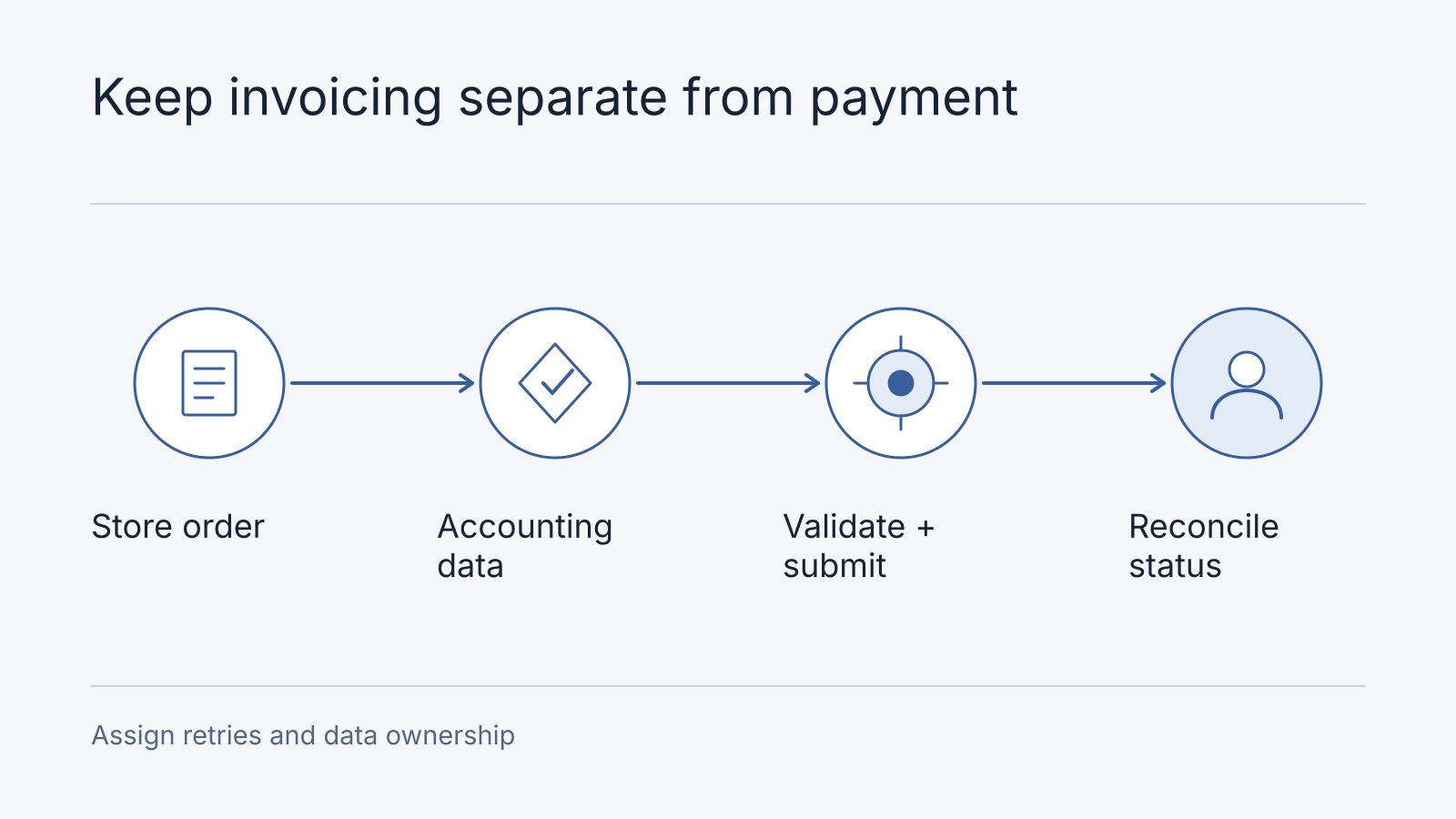
Avoid having both the store and accounting system independently issue the same business document. Write down the issuing system, its internal reference, and the handoff to the other systems. Keep payment collection in the payment integration scope.
Follow the Submission Through to a Result
The official Submit Documents API accepts structured documents and returns submission and document references after initial validation. Its successful 202 response does not mean all validation has completed.
The Get Submission API lets the submitter retrieve processing information using the submission reference. A connector demonstration should therefore continue beyond the first successful request.
Our proposed ownership model is:
| Stage | Owner to name | Evidence to retain |
|---|---|---|
| Prepare source data | Store operations and finance | Approved buyer, supplier, item, and amount mapping |
| Prepare the document | Connector maintainer | Document version and link to the internal invoice |
| Submit | Authorized taxpayer system or intermediary | Submission reference and initial per-document result |
| Retrieve outcome | Connector maintainer | Processing status and actionable validation errors |
| Resolve exceptions | Named finance operator | Correction decision, action history, and final outcome |
| Reconcile | Finance | Internal invoice linked to its MyInvois document and status |
The worksheet is a recommended design, not an additional HASiL rule. Use it to ask who investigates a document that remains unresolved after the initial request.
Investigate Three Failure Cases Before Buying
The response is lost. A timeout leaves uncertainty about whether submission occurred. Ask how the connector reconciles that attempt before resending. Keep the original internal reference and record the outcome. Follow the official integration practices for retry and polling behavior rather than building an unrestricted retry loop.
One document fails validation. Staff need to see which document failed, why, and who can correct its source data. Ask whether the connector exposes per-document outcomes or only a batch-level success message. A screenshot saying “connected” does not answer this question.
The customer returns an item. Finance must decide the applicable correction workflow. The developer then implements that approved decision and preserves the relationship to the original document. Ask the vendor to demonstrate the required document types and lifecycle operations from the official API catalog. Do not assume that a payment refund automatically completes the invoicing work.
These cases distinguish a usable connector from a one-way data export. They also help identify when a process change is enough and when custom software is justified.
Ask for a Demonstration Using Your Data Shape
Provide synthetic examples representing a normal sale, the fields your business requires, and an agreed correction scenario. Do not send live customer records in the initial inquiry. Ask the supplier to show where each source field comes from and who can repair an invalid value.
Confirm taxpayer versus intermediary access, credential ownership, environment separation, and the supported document versions. Ask how the operator sees an outage and how queued work is recovered. Establish who monitors API changes and whether those updates fall within the support agreement.
The output of this investigation should be a mapping sheet, a supported-scenario list, and a list of unresolved gaps. None requires commissioning a complete custom connector first.
Compare the Complete Operating Cost
Use the completed and blank mapping worksheet. Its synthetic row links store order O-101 to accounting record INV-101, submission reference S-101 and an unresolved document outcome. The connector owner retrieves and records the outcome; finance owns correction decisions. References are invented and are not valid MyInvois identifiers.
The following is an application decision map, not an extra set of official API status names:
Finance approves source mapping
             |
Connector submits and stores the returned references
             |
Outcome pending --> Connector retrieves per-document outcome
                         |                         |
                 Validated result          Validation exception
                         |                         |
                 Finance reconciles       Finance approves correction
                                                   |
                                         Connector performs the agreed action
Keep unsupported document types, correction operations and unknown connector capabilities as open rows with an owner. Resolve them against the official APIs linked above before implementation.
Frequently asked questions
Can an accounting connector avoid custom work?
Yes, when the supported connector demonstrates the required transactions, corrections, ownership and reconciliation. Buy or configure that supported path before funding custom code for a gap that may not exist.
What if initial submission succeeds but final validation fails?
Keep the internal record unresolved, expose the per-document issue and assign the finance operator. Initial acceptance is not final validation. Finance decides how a return or invalid document is corrected; the connector implements that approved action.
Price the actual connector gap
Separate connector licensing, setup, data cleanup, custom mapping, staff training, and ongoing support. Record volume assumptions and any charges from the accounting provider. Include the cost of staff reviewing exceptions, because automation still needs an accountable owner.
Nodesify’s document-processing guide addresses extraction and human review. Extracting data is a separate capability from issuing a validated document. If the payment side also needs work, use our DuitNow integration guide to keep those responsibilities clear.
Bring your store platform, accounting product, current connector, and unresolved workflow to Nodesify. We can scope the technical investigation around the actual gap, with your finance owner responsible for approving the invoicing rules.