To create a business website, define what visitors need to do, choose a platform, register a domain, prepare your content and publish a site you can maintain. The best starting point is a small site that clearly explains your offer and makes the next step easy.
For businesses in Singapore and Malaysia, useful details include the service area, supported currencies, contact channels and who is responsible for updating information. A polished homepage cannot compensate for an unclear offer or an enquiry form nobody checks.
1. Choose one primary outcome
Decide whether the website should generate enquiries, accept bookings, sell products or provide customer information. Set a primary action for each important page.
For a service business, a sensible first site may contain a homepage, service pages, an about page, contact information and relevant privacy information. An online shop needs product, checkout, fulfilment and customer support workflows as well.
Write the visitor’s decision in one sentence: “A customer should understand our service and send enough information for a useful reply.” This gives you a way to judge the design and content.
2. Compare builders, WordPress and custom development
| Option | Consider it when | Check before choosing |
|---|---|---|
| Website builder | You need a straightforward site maintained by nontechnical staff | Plan limits, export options, recurring fees and integration support |
| WordPress | Publishing and an established plugin ecosystem matter | Hosting, plugin quality, updates, backups and maintenance ownership |
| Custom development | You need a specific application or integration workflow | Delivery scope, source ownership, operating costs and handover |
None is automatically best for SEO. Check whether your chosen setup can produce useful pages, clean URLs, suitable metadata, accessible navigation and fast loading.
Before committing, build one representative page and try the hardest required integration. Confirm how content can be exported and what happens if you change supplier.
If you choose WordPress, its official hardening guide describes responsibilities including updates, access controls and backups. Use it to define the maintenance scope with your host or supplier rather than assuming installation completes that work.
3. Register the domain in your business account
Choose a domain that is easy to spell and suitable for your brand. Keep registrar access, billing and renewal notices under the business’s control. Record who manages DNS and email settings.
Your domain, website hosting and email service are separate responsibilities even when one supplier sells them together. Confirm renewal costs and access before launch. Use HTTPS and check that your preferred hostname works consistently.
4. Prepare useful content before polishing the layout
Each service page should explain who the service is for, what is included, what the customer needs to provide and how the process works. Include evidence you can substantiate, such as approved project examples, real credentials or product demonstrations.
Avoid copying competitors or publishing generic text across many nearly identical pages. For local audiences, explain practical differences such as service availability and support hours. Publish translations only when someone can review their meaning and maintain them.
Prepare photographs, logos and illustrations with appropriate usage rights. Write descriptive alternative text for informative images and use appropriately sized files.
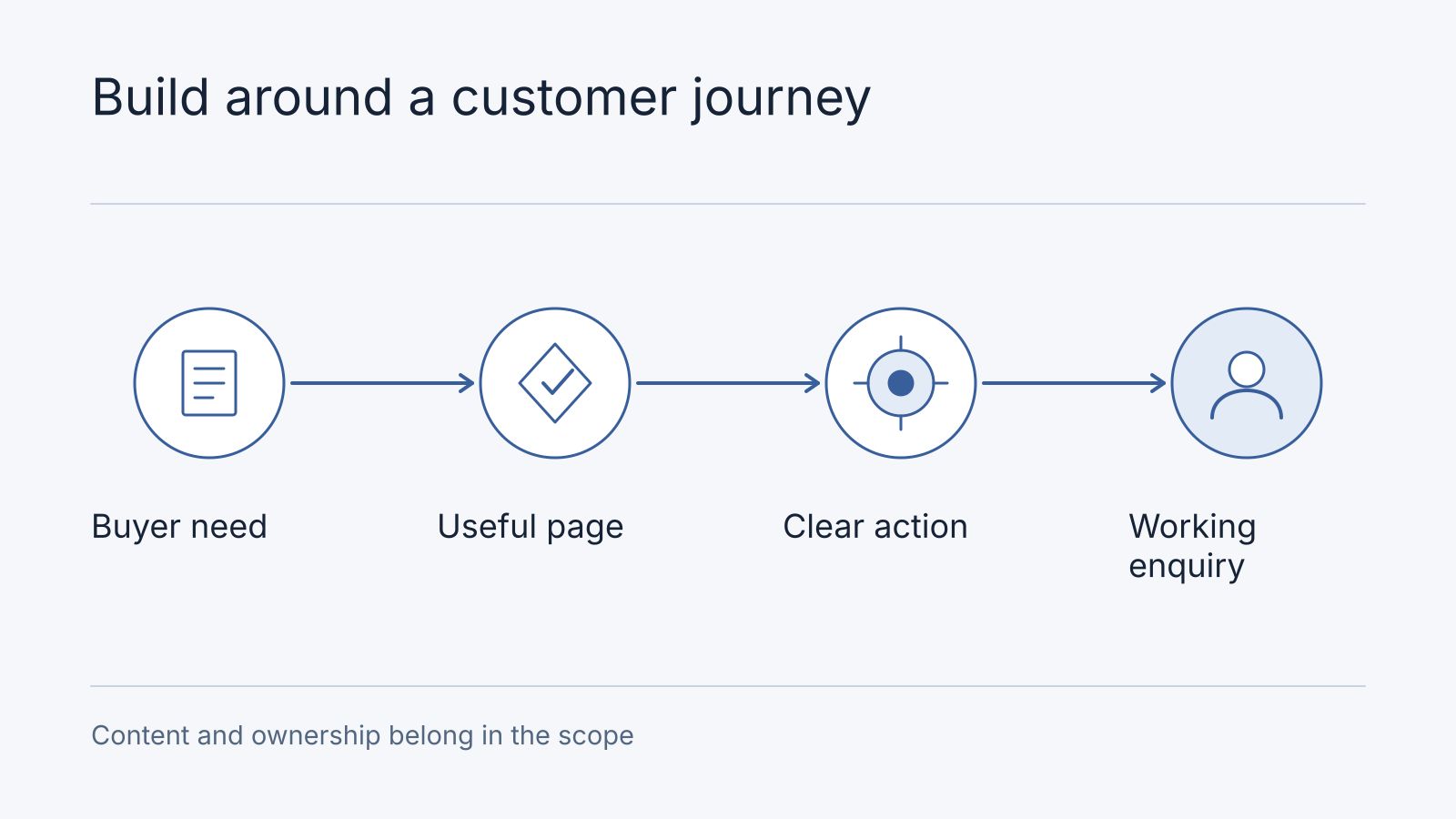
5. Build a working customer journey
An enquiry page should ask only for information needed to respond. Explain the next step and route submissions to an accountable person. Include an alternative contact method.
Use visible field labels, understandable instructions and clear error feedback. The W3C Web Accessibility Initiative forms tutorial explains how labels, structure and notifications help people complete forms, including visitors using assistive technology.
Try the complete journey on a phone: open a service page, understand the offer, find the action, submit the form and receive confirmation. Check validation errors and what happens when the connection fails.
If you sell online, verify payment confirmation, order records, stock handling, delivery information and refunds as a complete process. A payment button alone is not a finished shop.
6. Understand setup and running costs
Compare quotes over the same period and scope. Separate content, design, implementation and integrations from hosting, subscriptions, support and ongoing changes.
| Budget item | Questions to ask |
|---|---|
| Domain and hosting | Who owns the accounts and pays renewals? |
| Design and content | How many unique pages and review rounds are included? |
| Integrations | Are CRM, booking, payment or email connections included? |
| Maintenance | Who applies updates and restores backups? |
| Changes | What is included after launch and what requires a new estimate? |
A small brochure site and a transactional application have different costs. Request a written scope rather than choosing on a headline price. See Nodesify pricing for our current commercial information and website development services for delivery scope.
7. Make the site discoverable
Give each important page a descriptive title, a useful heading and links from relevant pages. Include canonical pages in an XML sitemap. Verify the domain in Google Search Console and check that public pages allow indexing.
For a new domain, indexing and traffic take time. Google explains that discovery and indexing are separate steps and neither guarantees a ranking. Follow its SEO Starter Guide.
If replacing an existing website, map old URLs to equivalent new pages with permanent redirects. Return a proper 404 for removed content without a relevant replacement. Do not send every missing page to the homepage. Google’s URL migration guidance explains the process.
8. Launch with an owner and a maintenance plan
Confirm the domain, HTTPS, navigation, mobile readability, enquiry delivery and indexing settings. Check that analytics collects the events you actually need and that privacy information matches your data handling.
Keep backups or versioned source as appropriate for the platform. Document how to restore service, update content and renew accounts. Review real enquiries after launch to find missing information and confusing steps.
A five-page brief a supplier can evaluate
For a fictional equipment-servicing business, start with five pages: Home explains the customer and primary enquiry; Services states scope/exclusions; Process explains inspection and quotation; About identifies the accountable business and verifiable qualifications; Contact collects location, equipment type and fault. Each page needs approved content, an owner and the next useful action. Do not populate About with invented testimonials or qualifications.
Give a builder, WordPress implementer and custom developer that same journey. Ask each to demonstrate content editing, a completed enquiry, a failed submission and handover. A builder may be sufficient for these five pages; WordPress may fit an editorial workflow; custom delivery needs a requirement that justifies its extra operating responsibility. Add booking or payment only when the brief requires it, then compare its failure cases too.
Frequently asked questions
Who supplies content and owns the domain?
Agree whether writing, translation, photography and revisions are included. Keep the business in control of domain registration and renewal, with named access for the implementer.
What belongs in the first-year budget?
The filled five-page brief links each page to a visitor question, required content, permitted evidence and next action. It is a fictional starting point, not a client project.
Include setup, content, hosting, domain, required subscriptions, maintenance and expected changes. Use the cost worksheet and leave unknowns visible; a page count alone does not price the complete journey.
Can I create a business website myself?
Yes. A builder can suit a simple site if you can prepare the content and maintain it. Bring in specialist help when integrations, migration or application behavior exceed what you can manage reliably.
Do I need custom development?
Only when the required workflow or ownership needs justify it. Validate the hardest requirement before choosing a more complex implementation.
How long does a website take?
It depends on the scope, content readiness, integrations and approval process. Ask for milestones tied to deliverables, including content review, a working customer journey and handover.
Start with a concrete brief
List your audience, primary action, required pages, existing URLs and connected systems. Contact Nodesify to turn that brief into a scoped website plan with clear deliverables and maintenance responsibilities.
Sources and editorial scope
Official Google, WordPress and W3C references were reviewed on 11 October 2026 and are linked in the relevant sections. Platform selection, budgeting questions and delivery recommendations are Nodesify’s editorial advice. They are not guarantees of search rankings, delivery time or cost.